
A free system for school computers
AfricaOS is a free operating system for the computers in a school's lab and offices. It updates with one button, from the internet or from a flash drive.
Try it in your school
What AfricaOS does
Students log in and save work. The technician updates the lab. The school pays nothing.
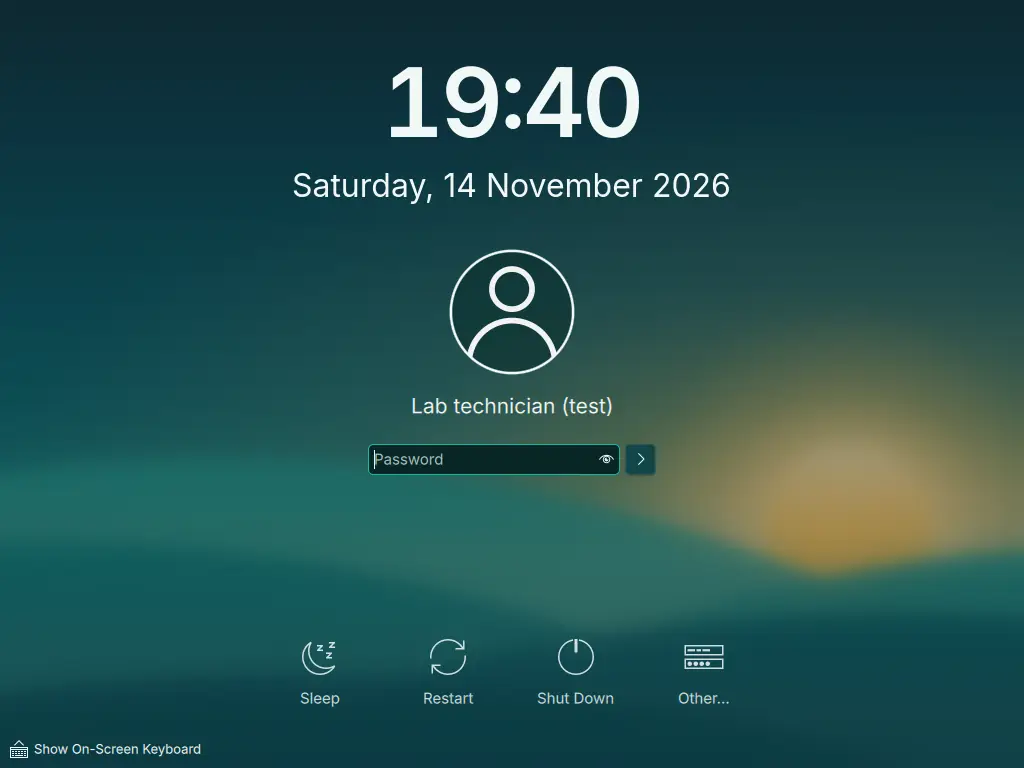
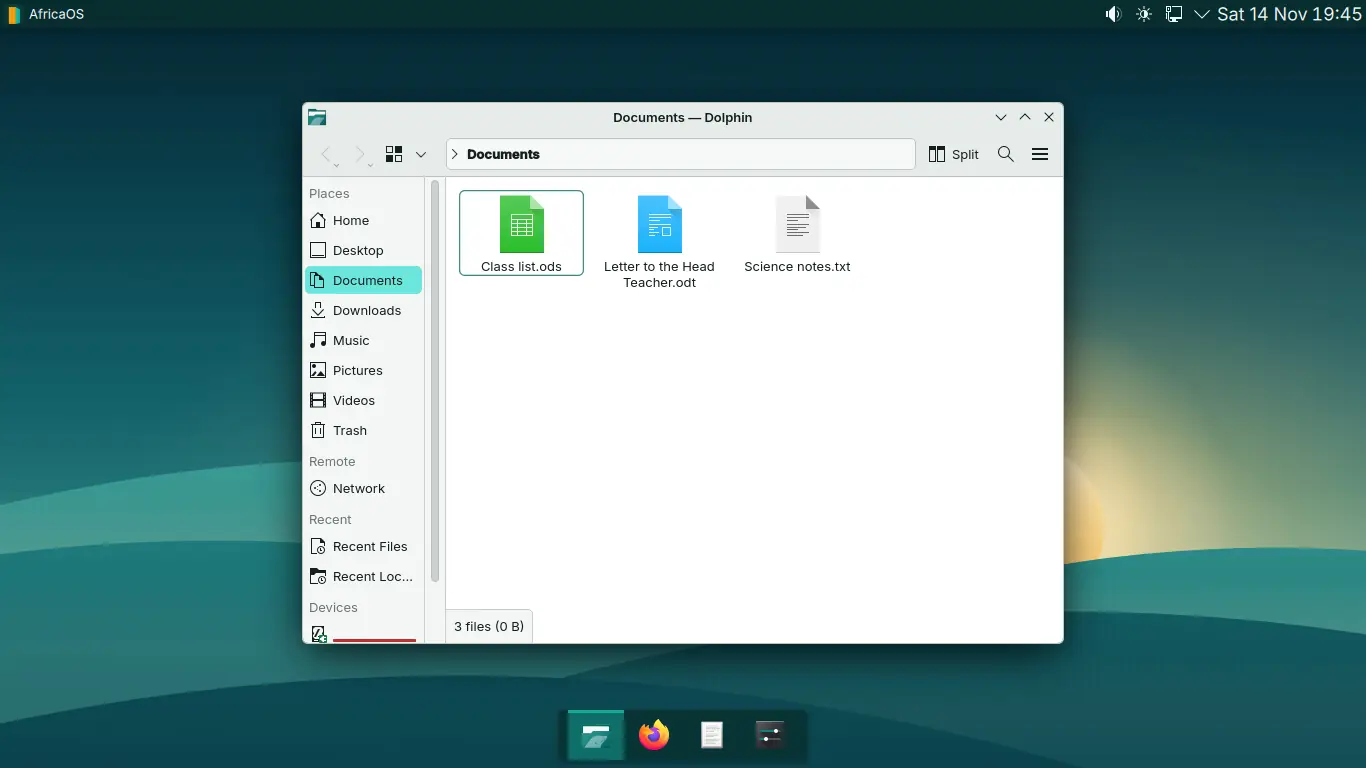
See it running
Our own wallpaper, Dawn over the hills. A bar along the top and a dock along the bottom, like the computers students will meet later.
One update, three steps

How would the update reach your lab?
Each computer downloads it
About 31 GB of data in all: 30 computers, about 1 GB each. If data is costly, download it once onto a flash drive instead.
Based on a real update of 1.04 GB measured in testing. Updates vary in size, and older computers take longer.
Made for labs like these
Most school labs in Africa run donated computers that are years old, on unsteady power, with little or no internet. AfricaOS is designed for exactly that.
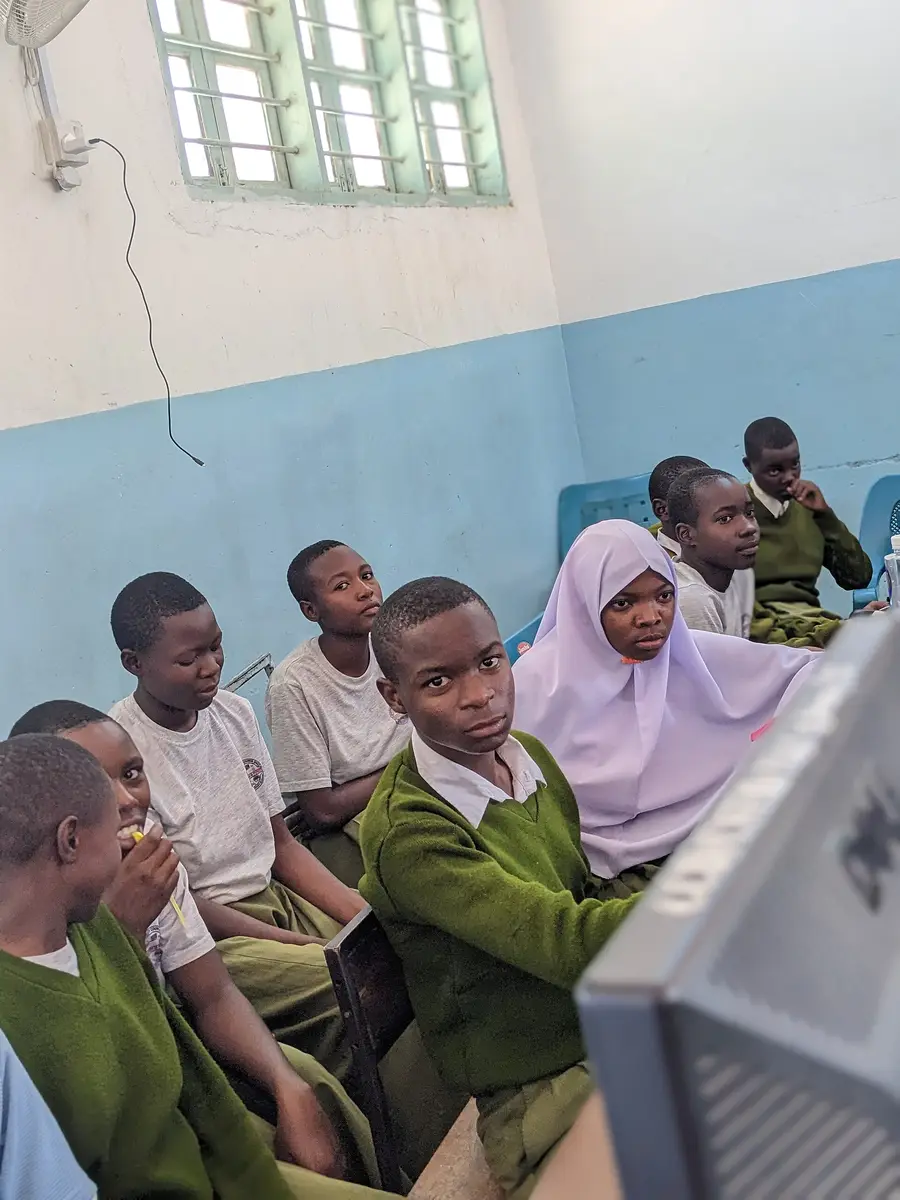
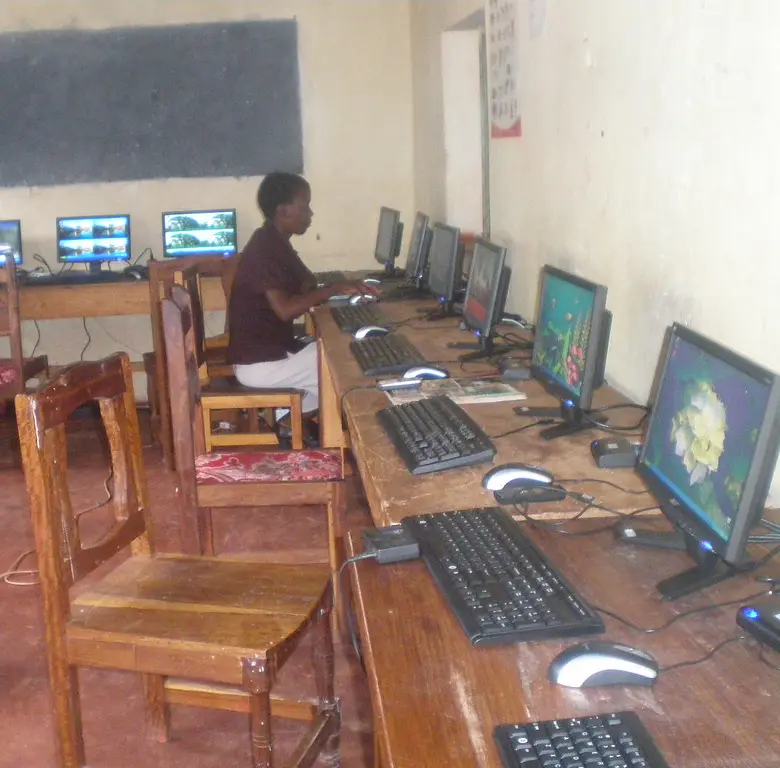
Tested before any school gets it
Tested on a virtual computer in November 2026. Next, the same tests run on real school computers, including old ones with slow hard disks.
Programs for lessons and the office
Matched to what Uganda's ICT syllabus asks students to learn. Files open and save in Microsoft formats, so work moves between AfricaOS and Windows. These are planned for the first release.
Questions schools ask
Is it really free?
Yes. There is no licence to buy and no yearly fee, for any number of computers. AfricaOS is built from free and open-source software.
Will it run on our old computers?
That is what it is for. We will visit schools to record the computers they really have, and will publish the smallest computer it supports before the first release. Very old computers may need a lighter version, which is planned for later.
Does it cover the ICT syllabus and UNEB exams?
The syllabus and the UNEB practical paper name Microsoft programs only as examples. AfricaOS has a program for each area they ask for: word processing, spreadsheets, presentations, databases, desktop publishing and web design. We will confirm the details with teachers and UNEB.
Can it open Word and Excel files?
Yes. The office programs open and save Microsoft's file formats, so a student's work can be printed or opened on a Windows computer elsewhere.
What if the power goes off during an update?
The computer keeps the old version until the new one is fully ready, so it starts again on one or the other. In our tests we cut the power 50 times during updates, and it started again every time. We will repeat that test on real school computers.
We have no internet. Can we still update?
Yes. The technician copies the update onto one flash drive, wherever there is internet, and updates each computer from it. Updating a whole lab from one computer over the lab's own network is planned for the pilot.
Will students break the computers?
Not easily. In the lab setup, settings go back to clean each time a student logs out, so a change made in one lesson is gone by the next. Students' saved work is kept.
When can our school get it?
AfricaOS is being built now. First, two or three schools in Uganda will use it for one school term. A public release follows once those schools have used it through a full term of updates.